Conecta ChatGPT with Composio and Claude to Boost Your Productivity and App Integration
· based on the channel DataEdu
Key takeaways
- Composio connects AI assistants like ChatGPT and Claude with apps such as Google Drive
- Native and external connectors enable seamless integration and automation
- Authorization and permission management are key for secure AI interactions
- Composio supports multiple AI tools including Manus IA for diverse workflows
- Integration boosts productivity by automating tasks across familiar applications
Connecting AI assistants such as ChatGPT and Claude with applications you already use is becoming essential for maximizing productivity. Conecta ChatGPT with Composio offers a practical way to integrate these AI tools seamlessly with platforms like Google Drive, enabling automated workflows and enhanced task management. For a detailed understanding and resources, visit DataEdu's Storytelling Book to learn how to transform dashboards into clear, professional narratives.
Understanding Composio and Its Connectors
Composio is a platform designed to connect artificial intelligence assistants with various compatible applications. It offers two main types of connectors:
- Native Connectors: These are built-in integrations that allow direct communication between AI assistants and applications without external tools.
- External Connectors: These enable connections through third-party services or APIs when native connectors are unavailable.
This distinction is crucial for choosing the right integration method depending on the app and AI tool involved.
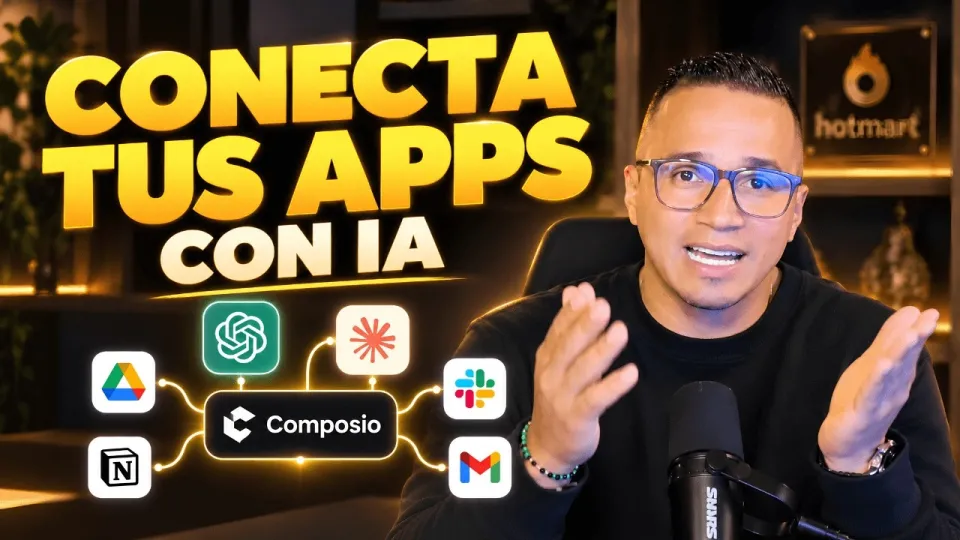
Video: Conecta ChatGPT, Claude y tus apps: así haces más con Composio
How to Connect ChatGPT and Claude Using Composio
The process of linking ChatGPT or Claude with your favorite apps via Composio involves several steps:
- Selecting the Application: Choose an app compatible with Composio, such as Google Drive.
- Authorizing Accounts: Grant necessary permissions for Composio to access your app account securely.
- Configuring Actions: Set up specific actions like reading, writing, or managing files that the AI assistant can perform.
- Testing the Connection: Run sample commands to verify that the AI assistant interacts correctly with the app.
These steps ensure smooth integration and functional automation.
Permissions and Security Considerations
When connecting AI assistants to applications, managing permissions is critical to safeguard sensitive data. Composio requires explicit authorization for each app to:
- Access files or data only within permitted scopes.
- Perform actions transparently to the user.
- Avoid unauthorized data sharing or exposure.
Users must review the permissions requested carefully, especially when dealing with business or personal sensitive information, such as Power BI semantic models. This cautious approach prevents security risks while leveraging AI capabilities.
Applying AI Integration to Different Tools
Beyond ChatGPT and Claude, Composio supports various AI assistants like Manus IA. The integration principles remain the same:
- Identify compatible apps.
- Authorize connections securely.
- Define actionable tasks for automation.
This flexibility allows users to tailor AI workflows across diverse platforms, increasing efficiency and reducing manual effort.
Benefits of Using AI Assistants with Your Apps
Integrating AI assistants with everyday tools through Composio provides multiple advantages:
- Automates repetitive tasks such as file management or data retrieval.
- Enhances productivity by enabling natural language commands.
- Centralizes workflows by connecting disparate apps.
- Facilitates smarter data analysis and reporting.
These benefits empower users to focus on high-value activities while AI handles routine operations.
Common Questions and Concerns
Users often wonder about data privacy, integration limits, and which apps are supported. Composio addresses these by providing transparent permission systems and continuous updates for new connectors. If you have specific apps in mind, exploring Composio’s compatibility list and community feedback can guide your choices.
Useful Links
- Storytelling Book for Data Visualization
- Excel DataEdu Automation Course
- Advanced DAX Analysis Guide
- DataEdu Instagram
- DataEdu LinkedIn
Conclusion
Conecta ChatGPT with Composio and Claude represents a powerful approach to enhancing AI-driven productivity by bridging smart assistants with the apps you already use. By understanding native and external connectors, managing permissions carefully, and leveraging multiple AI tools, you can automate workflows and improve efficiency significantly. For more insights and practical guidance, rely on DataEdu’s expert content and resources like their storytelling book to elevate your data and AI skills.
Questions & answers
Is it safe to connect Composio to applications containing sensitive data such as Power BI semantic models?
Security depends on the permissions granted during authorization. Composio requires explicit consent for each app's access scopes, but users should carefully review these permissions to avoid exposing sensitive information.
What types of applications can I connect with ChatGPT and Claude through Composio?
Composio supports a variety of apps including Google Drive and other productivity tools. The platform offers both native and external connectors to maximize compatibility across different services.
How do I authorize my account when connecting an app with Composio?
Authorization involves granting Composio permission to access your app account via secure OAuth protocols or API keys. This process ensures that AI assistants can perform actions only within allowed limits.
Can I use Composio to connect AI assistants other than ChatGPT and Claude?
Yes, Composio supports multiple AI tools, including Manus IA, enabling users to integrate various assistants with their workflows depending on available connectors and integrations.
Source: Conecta ChatGPT, Claude y tus apps: así haces más con Composio · Markdown version